
Building a Professional Portfolio with Next.js 15
Your portfolio is the first thing a recruiter, client, or collaborator sees. It needs to load fast, look sharp, and communicate your value in under five seconds. Next.js 15 gives you every tool to make that happen — but only if you use them correctly.
This is not a "create-next-app and add some cards" tutorial. This is a production-grade walkthrough of the architecture decisions, performance patterns, and UI techniques that make a portfolio stand out.
"The best portfolios don't just show what you've built — they show how you think about building."
1. Project Structure That Scales
Start with a structure you will not regret in six months:
portfolio/
├── app/
│   ├── layout.tsx          # Root layout — fonts, metadata, providers
│   ├── page.tsx            # Home page (Server Component)
│   ├── projects/
│   │   ├── page.tsx        # Projects listing
│   │   └── [slug]/page.tsx # Individual project
│   └── blog/
│       ├── page.tsx
│       └── [slug]/page.tsx
├── components/
│   ├── ui/                 # Reusable primitives (Button, Card, Badge)
│   └── sections/           # Page sections (Hero, Projects, Contact)
├── content/
│   ├── projects/           # MDX files for each project
│   └── blog/               # MDX files for blog posts
├── lib/
│   ├── projects.ts         # Data fetching utilities
│   └── utils.ts
└── public/
    └── images/
components/ui for generic, reusable primitives and components/sections for page-specific sections. This separation makes it easy to extract a design system later.2. Root Layout: Fonts, Metadata, and Providers
The root layout runs on every page. Get it right once.
// app/layout.tsx
import type { Metadata } from 'next';
import { Inter, JetBrains_Mono } from 'next/font/google';
import './globals.css';

// Self-hosted via next/font — no external DNS lookup, no layout shift
const inter = Inter({
  subsets: ['latin'],
  variable: '--font-inter',
  display: 'swap',
});

const mono = JetBrains_Mono({
  subsets: ['latin'],
  variable: '--font-mono',
  display: 'swap',
});

export const metadata: Metadata = {
  metadataBase: new URL('https://yourname.dev'),
  title: {
    default: 'Your Name — Full Stack Developer',
    template: '%s | Your Name',
  },
  description: 'Full Stack Developer specializing in React, Next.js, and Node.js.',
  keywords: ['Full Stack Developer', 'React', 'Next.js', 'TypeScript'],
  authors: [{ name: 'Your Name', url: 'https://yourname.dev' }],
  openGraph: {
    type: 'website',
    locale: 'en_US',
    url: 'https://yourname.dev',
    siteName: 'Your Name Portfolio',
    images: [{ url: '/og-image.png', width: 1200, height: 630 }],
  },
  twitter: {
    card: 'summary_large_image',
    creator: '@yourhandle',
  },
  robots: {
    index: true,
    follow: true,
    googleBot: { index: true, follow: true, 'max-image-preview': 'large' },
  },
};

export default function RootLayout({ children }: { children: React.ReactNode }) {
  return (
    <html lang="en" className={`${inter.variable} ${mono.variable}`} suppressHydrationWarning>
      <body className="bg-black text-white font-sans antialiased">
        {children}
      </body>
    </html>
  );
}
3. The Hero Section: First Impressions
You have 5 seconds. Make them count.
// components/sections/Hero.tsx
import { ArrowRight, Github, Linkedin, Mail } from 'lucide-react';
import Link from 'next/link';

export function Hero() {
  return (
    <section className="relative min-h-screen flex flex-col items-center justify-center text-center px-6 overflow-hidden">
      {/* Ambient background glow */}
      <div className="absolute inset-0 -z-10">
        <div className="absolute top-1/4 left-1/2 -translate-x-1/2 w-[600px] h-[600px] bg-purple-600/20 rounded-full blur-[120px]" />
        <div className="absolute bottom-1/4 left-1/4 w-[400px] h-[400px] bg-blue-600/10 rounded-full blur-[100px]" />
      </div>

      {/* Availability badge */}
      <div className="flex items-center gap-2 px-4 py-2 rounded-full bg-emerald-500/10 border border-emerald-500/20 mb-8">
        <span className="w-2 h-2 rounded-full bg-emerald-500 animate-pulse" />
        <span className="text-sm text-emerald-400 font-medium">Available for opportunities</span>
      </div>

      {/* Name + role */}
      <h1 className="text-5xl md:text-7xl lg:text-8xl font-black tracking-tighter mb-6 leading-none">
        Hi, I'm{' '}
        <span className="bg-gradient-to-r from-purple-400 to-blue-400 bg-clip-text text-transparent">
          Your Name
        </span>
      </h1>

      <p className="text-xl md:text-2xl text-gray-400 max-w-2xl mb-4 leading-relaxed">
        Full Stack Developer building fast, accessible web applications.
        Specializing in{' '}
        <span className="text-white font-semibold">React</span>,{' '}
        <span className="text-white font-semibold">Next.js</span>, and{' '}
        <span className="text-white font-semibold">Node.js</span>.
      </p>

      {/* Social proof */}
      <p className="text-sm text-gray-500 mb-12">
        3+ years · 20+ projects shipped · Open source contributor
      </p>

      {/* CTAs */}
      <div className="flex flex-col sm:flex-row gap-4 mb-16">
        <Link
          href="/projects"
          className="group flex items-center gap-2 px-8 py-4 rounded-2xl bg-white text-black font-bold hover:bg-purple-500 hover:text-white transition-all"
        >
          View My Work
          <ArrowRight className="w-4 h-4 group-hover:translate-x-1 transition-transform" />
        </Link>
        <Link
          href="/contact"
          className="px-8 py-4 rounded-2xl border border-white/20 hover:border-white/50 font-bold transition-colors"
        >
          Get In Touch
        </Link>
      </div>

      {/* Social links */}
      <div className="flex items-center gap-6">
        {[
          { href: 'https://github.com/yourhandle', icon: Github, label: 'GitHub' },
          { href: 'https://linkedin.com/in/yourhandle', icon: Linkedin, label: 'LinkedIn' },
          { href: 'mailto:hello@yourname.dev', icon: Mail, label: 'Email' },
        ].map(({ href, icon: Icon, label }) => (
          <a
            key={label}
            href={href}
            aria-label={label}
            className="p-3 rounded-xl border border-white/10 text-gray-400 hover:text-white hover:border-white/30 transition-all"
          >
            <Icon className="w-5 h-5" />
          </a>
        ))}
      </div>
    </section>
  );
}
4. MDX-Powered Project Pages
Store project content as MDX files — you get markdown simplicity with React component power.
// content/projects/newsguard-ai.mdx
---
title: "NewsGuard AI"
description: "AI-powered fake news detection platform"
tech: ["Next.js", "Python", "OpenAI", "PostgreSQL"]
image: "/images/NewsGuardAI/home.png"
liveUrl: "https://newsguard.ai"
githubUrl: "https://github.com/yourhandle/newsguard"
featured: true
---

NewsGuard AI analyzes news articles in real-time using a fine-tuned LLM...
// lib/projects.ts
import fs from 'fs';
import path from 'path';
import matter from 'gray-matter';

export interface Project {
  slug: string;
  title: string;
  description: string;
  tech: string[];
  image: string;
  liveUrl?: string;
  githubUrl?: string;
  featured: boolean;
  content: string;
}

export function getAllProjects(): Project[] {
  const dir = path.join(process.cwd(), 'content/projects');
  return fs.readdirSync(dir)
    .filter(f => f.endsWith('.mdx'))
    .map(file => {
      const { data, content } = matter(
        fs.readFileSync(path.join(dir, file), 'utf8')
      );
      return { slug: file.replace('.mdx', ''), content, ...data } as Project;
    })
    .sort((a, b) => Number(b.featured) - Number(a.featured));
}
5. Async Request APIs: The Next.js 15 Way
headers(), cookies(), and params asynchronous. This is a breaking change from 14.// app/projects/[slug]/page.tsx
import { notFound } from 'next/navigation';
import { getProjectBySlug, getAllProjects } from '@/lib/projects';
// Generate static pages at build time for all projects
export async function generateStaticParams() {
const projects = getAllProjects();
return projects.map(p => ({ slug: p.slug }));
}
// Dynamic metadata per project
export async function generateMetadata({
params,
}: {
params: Promise<{ slug: string }>;
}) {
const { slug } = await params; // Must await in Next.js 15
const project = getProjectBySlug(slug);
if (!project) return { title: 'Not Found' };
return {
title: project.title,
description: project.description,
openGraph: {
images: [{ url: project.image }],
},
};
}
export default async function ProjectPage({
params,
}: {
params: Promise<{ slug: string }>;
}) {
const { slug } = await params; // Must await in Next.js 15
const project = getProjectBySlug(slug);
if (!project) notFound();
return (
<main className="max-w-4xl mx-auto px-6 py-24">
<h1 className="text-5xl font-black mb-6">{project.title}</h1>
{/* Render MDX content */}
</main>
);
}
params and searchParams are now Promises. If you are migrating from Next.js 14, you must await them. Forgetting this is the most common upgrade bug.6. Structured Data for SEO
JSON-LD structured data helps Google understand your portfolio and can unlock rich results in search.
// app/page.tsx — add Person schema to your homepage
export default function HomePage() {
  const jsonLd = {
    '@context': 'https://schema.org',
    '@type': 'Person',
    name: 'Your Name',
    url: 'https://yourname.dev',
    jobTitle: 'Full Stack Developer',
    sameAs: [
      'https://github.com/yourhandle',
      'https://linkedin.com/in/yourhandle',
      'https://twitter.com/yourhandle',
    ],
    knowsAbout: ['React', 'Next.js', 'TypeScript', 'Node.js', 'PostgreSQL'],
  };

  return (
    <>
      <script
        type="application/ld+json"
        dangerouslySetInnerHTML={{ __html: JSON.stringify(jsonLd) }}
      />
      <Hero />
      <ProjectsSection />
      <ContactSection />
    </>
  );
}
7. Sitemap and Robots
Next.js 15 generates these from TypeScript — no XML files needed.
// app/sitemap.ts
import { MetadataRoute } from 'next';
import { getAllProjects } from '@/lib/projects';
import { getAllBlogs } from '@/lib/blog';

export default function sitemap(): MetadataRoute.Sitemap {
  const projects = getAllProjects();
  const blogs = getAllBlogs();
  const base = 'https://yourname.dev';

  return [
    { url: base, lastModified: new Date(), changeFrequency: 'monthly', priority: 1 },
    { url: `${base}/projects`, lastModified: new Date(), changeFrequency: 'weekly', priority: 0.9 },
    { url: `${base}/blog`, lastModified: new Date(), changeFrequency: 'weekly', priority: 0.8 },
    ...projects.map(p => ({
      url: `${base}/projects/${p.slug}`,
      lastModified: new Date(),
      changeFrequency: 'monthly' as const,
      priority: 0.7,
    })),
    ...blogs.map(b => ({
      url: `${base}/blog/${b.slug}`,
      lastModified: new Date(b.date),
      changeFrequency: 'never' as const,
      priority: 0.6,
    })),
  ];
}
// app/robots.ts
import { MetadataRoute } from 'next';

export default function robots(): MetadataRoute.Robots {
  return {
    rules: { userAgent: '*', allow: '/', disallow: '/api/' },
    sitemap: 'https://yourname.dev/sitemap.xml',
  };
}
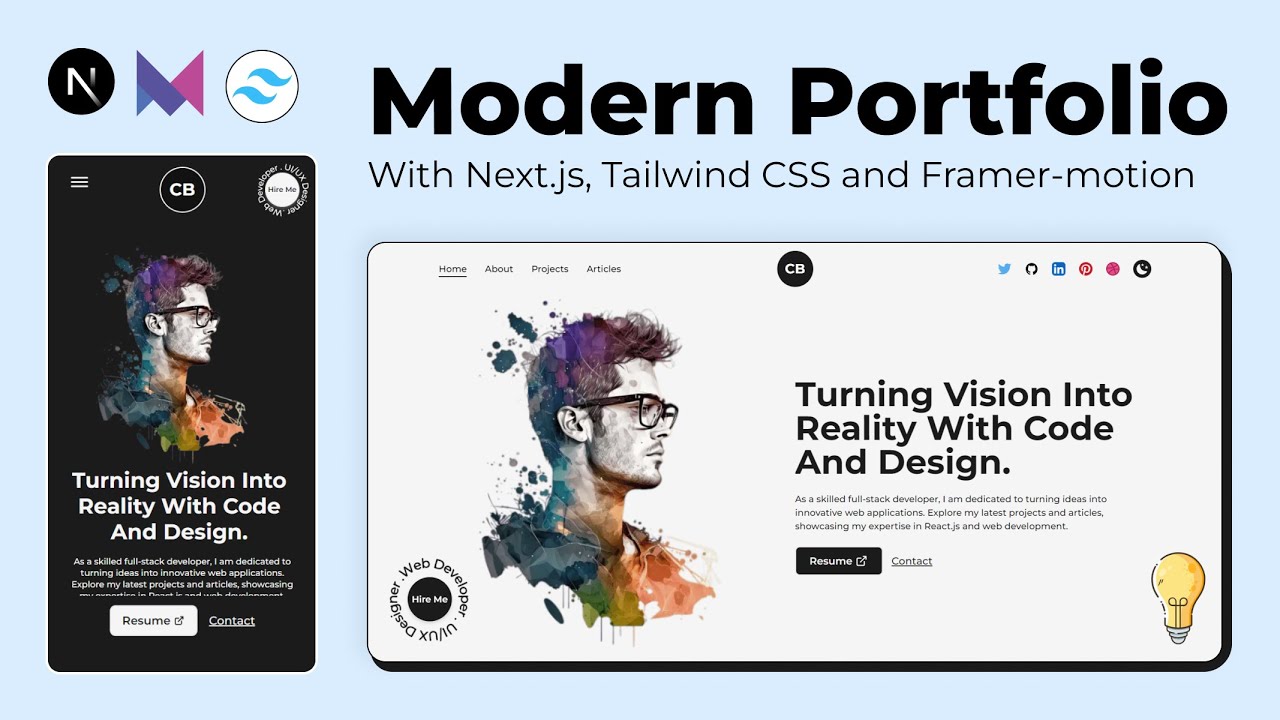
8. Watch: Building a Portfolio with Next.js 15
The Launch Checklist
Before you share your portfolio URL with anyone:
next/image with explicit width/height or fill + sizesnext/font — no external font CDN requestssitemap.xml and robots.txt are accessible and correctA portfolio that checks all these boxes is already in the top 10% of developer portfolios. Ship it, share it, and iterate based on real feedback.

Vighnesh Salunkhe
"Passionate about building scalable web applications and exploring the intersection of AI and human creativity."
Join the Conversation
Share your thoughts or ask a question